Slow Motion Birds
The interaction model
Version 1.3.0 · Updated Wed / 2026-08-05 / 3:52 PM CT · commit 85417bb on main
The last pass shipped a circle button in the corner. This one is a designed model: the picture is the app, and chrome is summoned and then leaves. Everything below is running code, screenshotted out of the Apple TV 4K and iPhone 17 simulators, not a mockup.
- iOS target builds clean
- tvOS target builds clean
- Pushed to main
- tvOS TestFlight still blocked on the App Icon key
- 2 content questions for you
Three states
01 Ambient
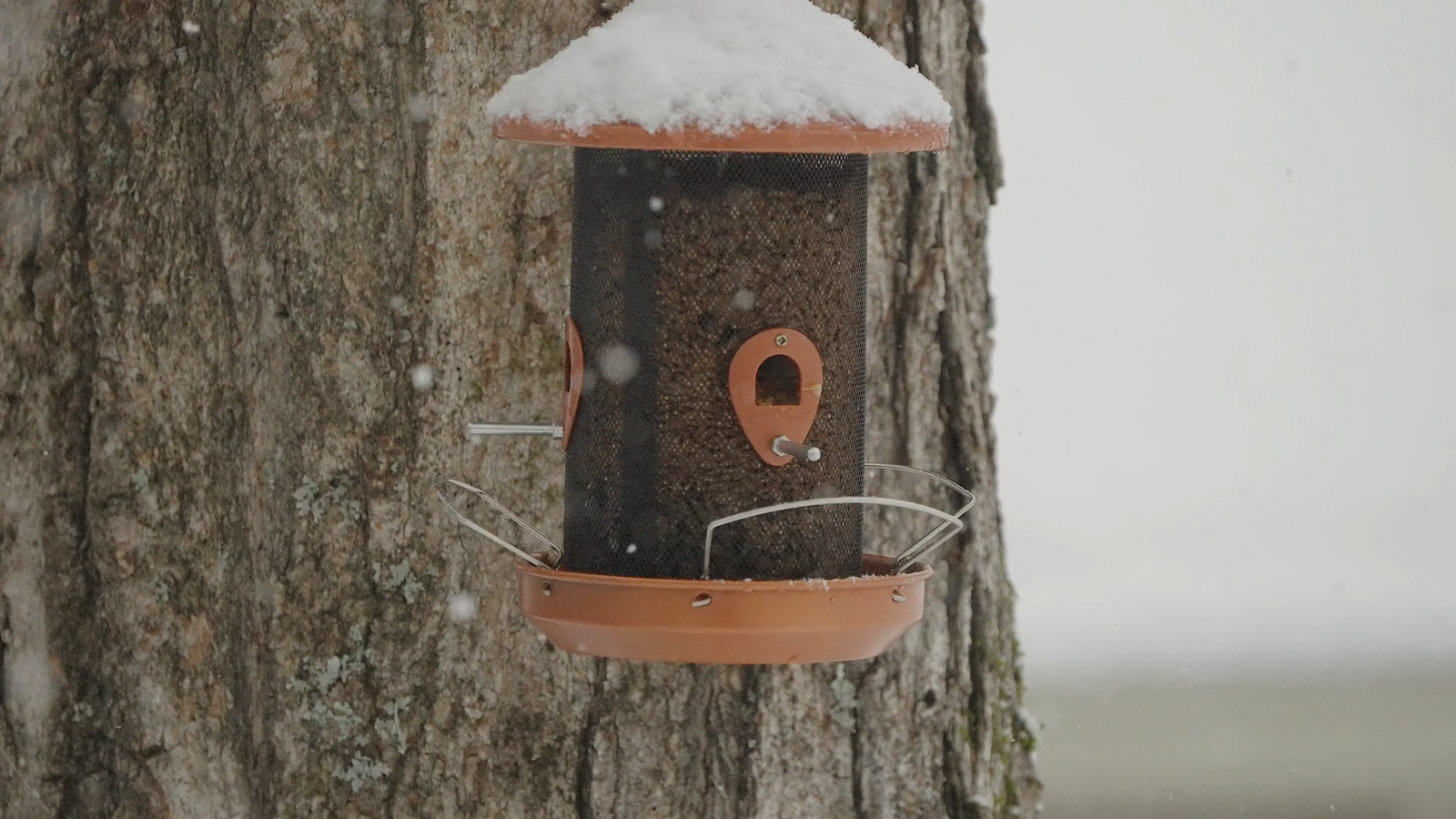
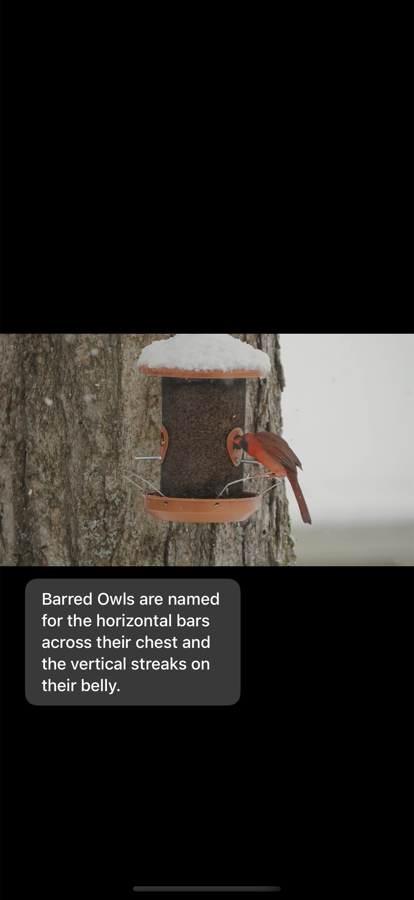
Video, and the fact card if facts are on. Zero controls. No status bar, no home indicator, nothing. This is where the app lives essentially all of the time, and it is the reason a permanent button was the wrong answer: chrome parked over ambient footage fights the only thing the app is for.
The fact card places itself in the black letterbox band when there is one, and insets into the bottom of the picture when there is not. It never covers the meat of a shot.
02 Shelf
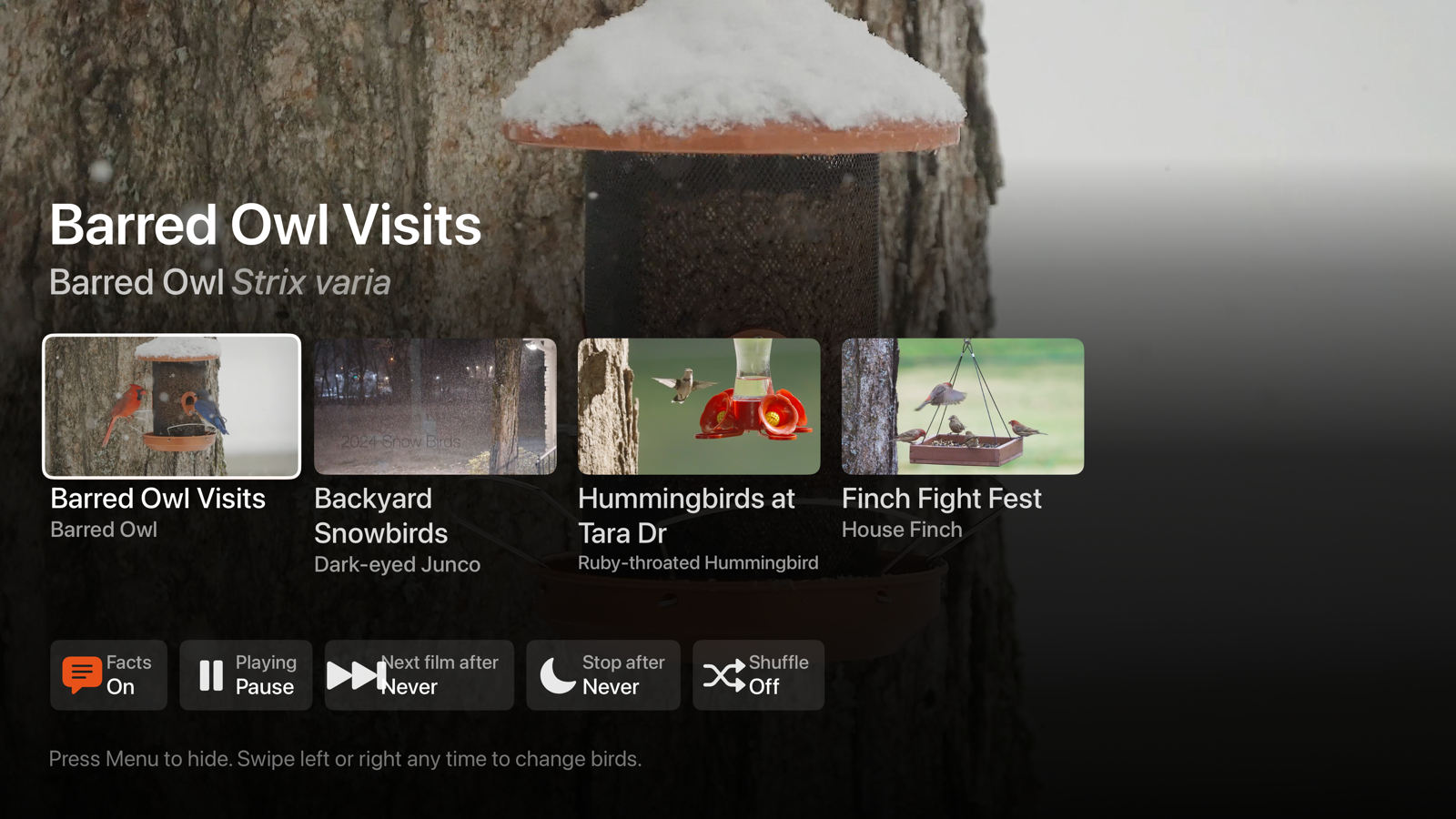
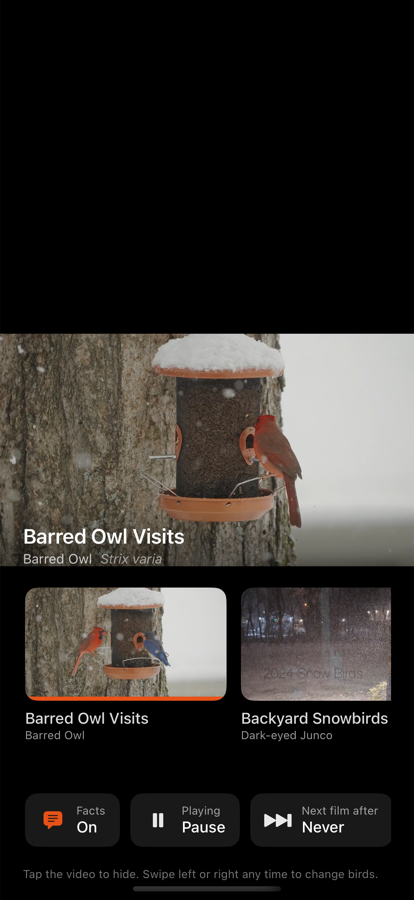
Summoned by a tap on iPhone or any remote input on Apple TV. It sits over still-playing video and takes itself away after six idle seconds. Now-playing header with live countdown chips, a film row with poster frames pulled out of the video files themselves at runtime, and a control row.
There is no separate settings screen on purpose. Every choice here (which bird, how long, facts on or off) is one you want to make while looking at the picture.
03 Asleep
Where "Stop after" leads. A 15 second fade to black, then a pause, then one dim line offering to come back. Not a hard cut: the realistic use of a stop timer on an ambient app is falling asleep to it, and a picture that snaps off is what wakes you. Any input wakes it, and waking restarts the same duration. The first touch only wakes, it does not also skip a film.
What each input does
| Intent | iPhone / iPad | Apple TV |
|---|---|---|
| Summon the shelf | Tap anywhere | Click, or swipe up or down |
| Dismiss the shelf | Tap the video, or flick down | Menu / Back |
| Change bird, no chrome | Swipe left or right | Swipe left or right |
| Change bird, by name | Tap a card | Focus a card and click |
| Play / pause | Shelf control | The remote's Play/Pause, in any state |
| Leave the app | Home | Menu, when the shelf is already hidden |
That last row is load-bearing. The Menu handler is attached to the shelf only, never to the app root, so when the shelf is gone Menu does the correct platform thing and returns to the Apple TV home screen. Swallowing Menu is the single most common way a tvOS app feels broken.
The timer, which was really two timers
The brief asked for a loop timer that would "stop, sleep, or move on". Those are two different questions, so they are two separate controls, both of which show a live countdown in the shelf whenever they are armed. Timer state is never invisible.
- Next film after (Never / 5 / 10 / 20 min / 1 hour). How long to sit on one bird. When the deadline passes it does not cut immediately: it waits for the current loop to restart, then cross-fades, so a switch never lands in the middle of a shot.
- Stop after (Never / 15 / 30 min / 1 hour / 2 hours). When ambient playback ends entirely, via the sleep fade above.
What I deliberately did not build
- No playlist builder. Shuffle plus "next film after" covers the real use without a screen for managing a list of four things. If the catalog gets to twenty films this is the first thing to revisit.
- No scrubber. This is ambient footage on a loop, not a video you seek through.
- No volume control. The app still ships no soundtrack until the music license audit clears one, and it never silences whatever you already have playing.
- No menus or popovers anywhere. SwiftUI menus do not exist on tvOS, so every control is a button that shows its own current value and cycles when pressed. One code path, both platforms.
Two things only you can answer
1. Barred Owl Visits opens on a cardinal and a bluebird. Its auto-generated poster frame shows the same, because the poster is pulled from 1.5 seconds into the clip. If the owl shows up later, tell me roughly when and I will move the poster timestamp. If the file is mislabelled, films.json needs fixing.
2. Finch Fight Fest facts are still placeholders. Real House Finch facts, plus rough timestamps for when other species turn up in that one, are still owed. Plain language is fine, no JSON needed, the format is in CONTENT-GUIDE.md in the repo.
Changelog: 1.3.0
- Added: the three-state player; the control shelf; picking a film by name; swipe to change film with no chrome; "Next film after"; "Stop after" with the sleep fade; shuffle; persistence of every setting and the last film played; runtime poster frames that cost no bundle space.
- Changed: one engine now owns the player, film order, both timers, facts and chrome, on a single one second clock. The fact card fades out while the shelf is up. The shelf scrim is a gradient, not a blur, because a blur layer had a hard top edge that read as a grey box over moving footage.
- Removed: the always-on-screen facts button.
- Fixed: tvOS was washing the entire picture out to near-white and blurring it, because the full-screen input backdrop was a button and tvOS applied its focus highlight to it. iOS was compressing the control labels until text wrapped one character per line. tvOS film titles truncated instead of wrapping.
- Still open: the tvOS App Icon asset catalog is not producing the Info.plist key Apple's validator wants, which blocks any new tvOS TestFlight build. Untouched by this release, iOS unaffected.